AI translation rules
Tell AI how your spreadsheet should sound.
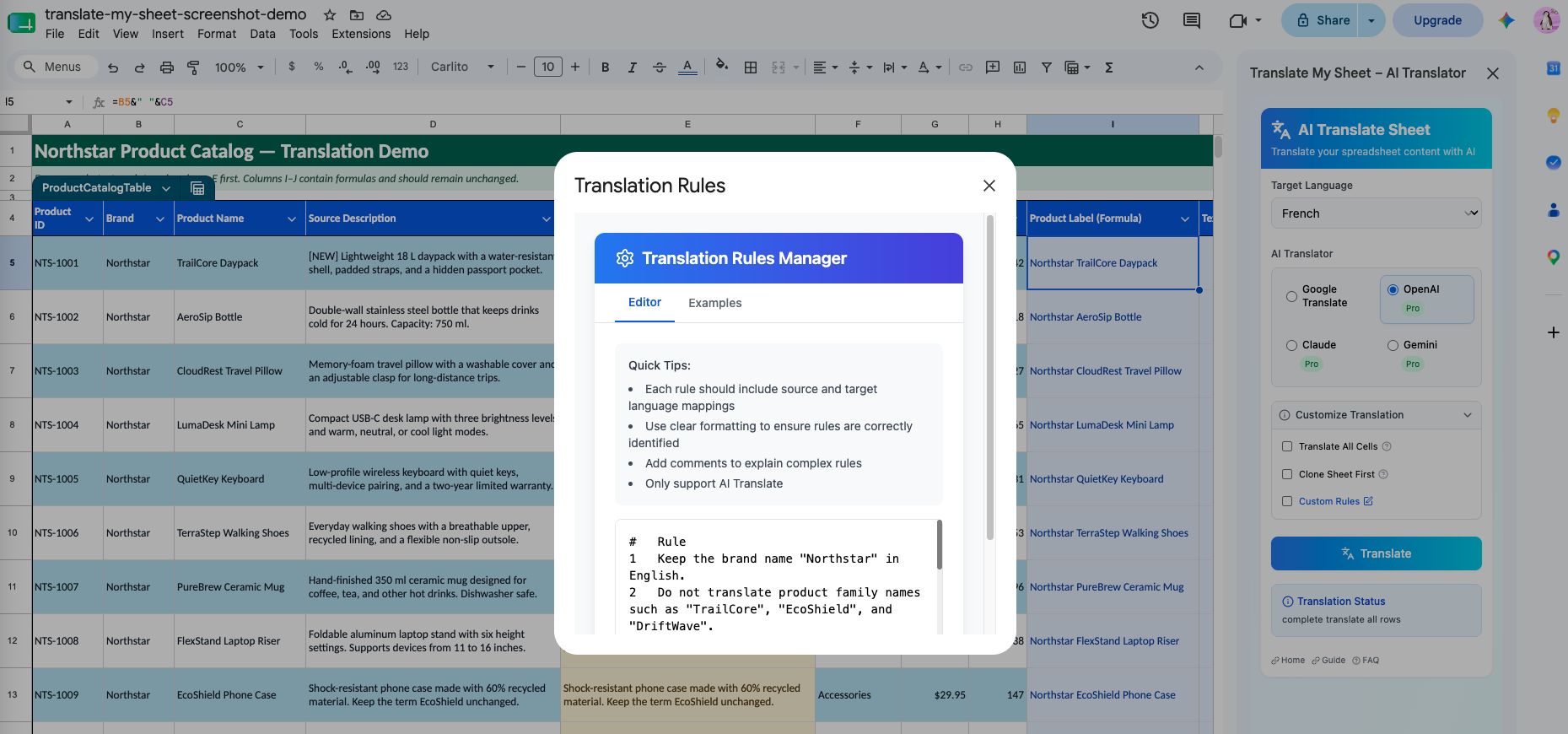
Add reusable instructions for terminology, tone, formatting expectations, and words that must remain unchanged.
Why it matters
Consistent product names and preferred phrases matter more than a different creative rewrite in every row.
Protect brand terminology
Tell the AI engine which company, product, or feature names should stay in their original form.
Set tone and audience
Specify concise, formal, friendly, technical, or audience-specific wording.
Reuse your instructions
Advanced settings are remembered locally so repeat jobs do not start from an empty prompt.
How it works
Three steps in the sidebar.
- 01
Choose an AI engine
Select OpenAI, Claude, or Gemini in the Pro sidebar.
- 02
Open advanced settings
Add direct, testable translation instructions.
- 03
Run a small sample
Review a representative range before applying the rules to a full sheet.
Good practice
Custom rules apply to AI engines, not the free Google Translate engine. Always review output when terminology has legal, medical, or safety implications.
Translate the sheet in front of you.
Install the add-on from Google Workspace Marketplace and start with Google Translate for free.