Full-sheet translation
Translate an entire Google Sheet without replacing formulas.
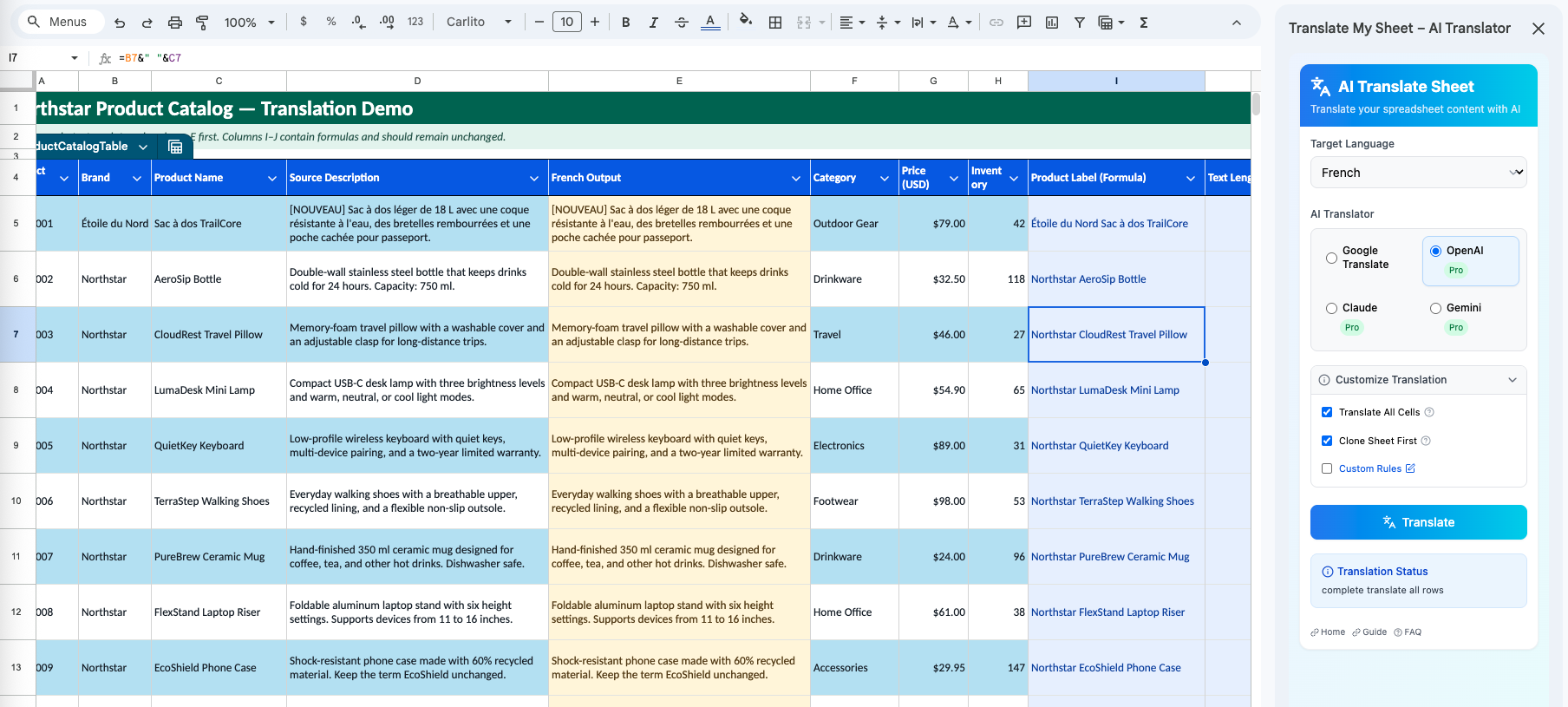
Process the active sheet from one sidebar while formula cells are detected and skipped.
Why it matters
Bulk translation should not mean manually rebuilding the spreadsheet logic that made the sheet useful.
Formula-aware processing
The add-on checks cells for formulas and keeps those cells out of the translation queue.
Optional sheet clone
Keep clone-before-translation enabled to create a copy of the sheet before translated values are written.
Visible job progress
Current and total item counts, job status, and estimated time make long runs easier to follow.
How it works
Three steps in the sidebar.
- 01
Open the sidebar
Launch Translate My Sheet from the Extensions menu.
- 02
Choose Full sheet
Select the active-sheet scope, engine, and target language.
- 03
Start the job
Monitor progress and cancel from the sidebar if the job no longer needs to run.
Good practice
Formatting and merged-cell behavior can vary between sheets. Keep the optional clone enabled and test on a small sheet when the layout is business-critical.
Translate the sheet in front of you.
Install the add-on from Google Workspace Marketplace and start with Google Translate for free.