How to Create Custom AI Translation Rules for Google Sheets
Write useful instructions for brand names, preferred terminology, tone, and words that should remain unchanged.
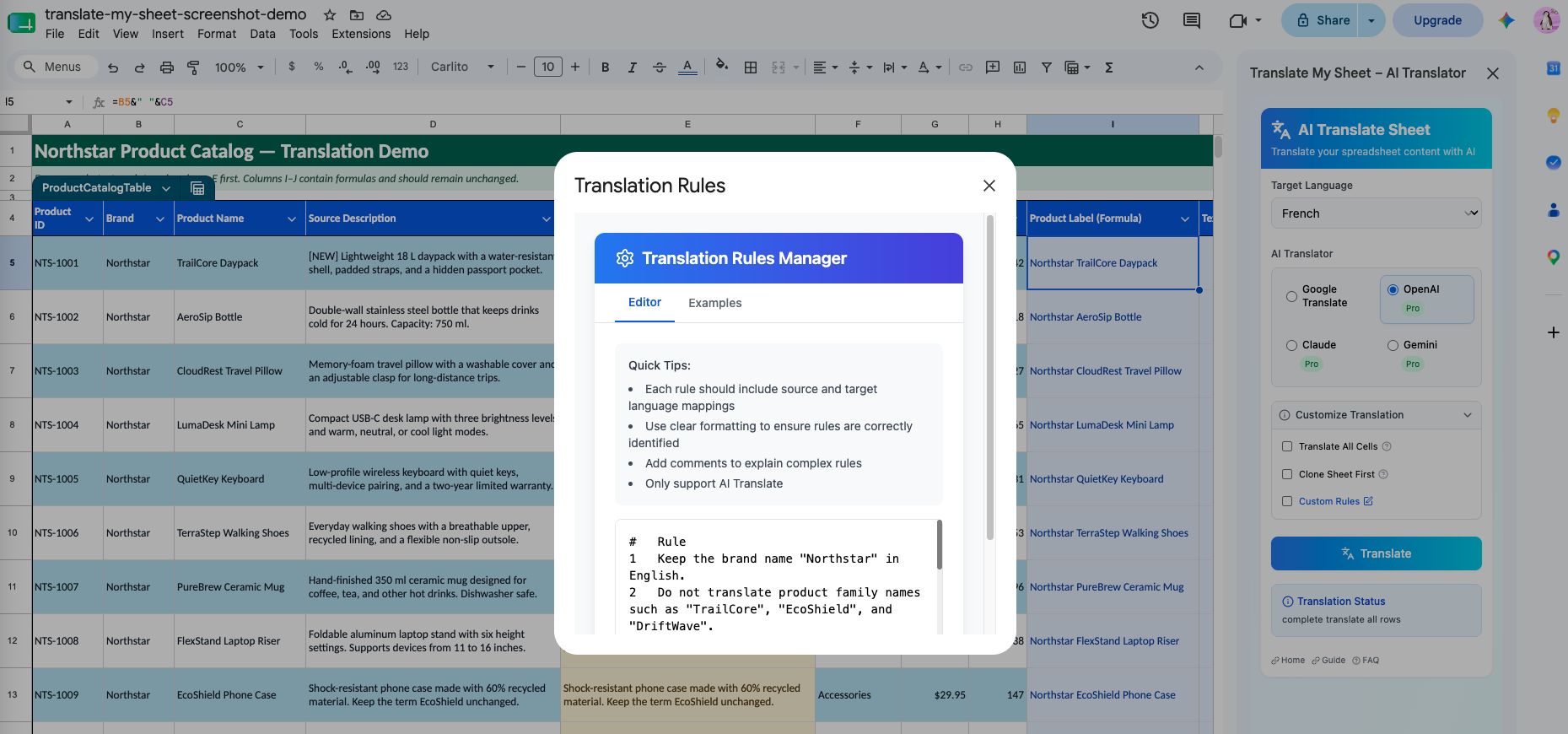
Pro AI engines can apply custom instructions to translation requests. Good instructions are short, concrete, and easy to verify against the output.
What a useful rule looks like
- Keep the product name “Northstar” in English.
- Translate “workspace” as the approved French term in the glossary.
- Use a concise, professional tone for B2B buyers.
- Do not change SKUs, URLs, or text inside square brackets.
- Keep measurements in metric units.
These instructions define observable outcomes. “Make it better” or “translate perfectly” does not tell the engine what a reviewer should expect.
Test rules on difficult rows
Include product names, ambiguous terms, short labels, and longer descriptions in the same sample. Run that sample with the selected AI engine and check whether each rule was followed.
Refine instead of stacking instructions
When a rule fails, make it more explicit and remove conflicting guidance. Long prompts can contain hidden contradictions. A short glossary plus a few tone and protection rules is often easier to maintain.
Remember the limits
Custom rules are available for OpenAI, Claude, and Gemini, not the free Google Translate engine. AI output is probabilistic, so reviewers should still check business-critical terminology.